Release a version
A version is a tag on the template repository. The tag name is what the template manager lists, so use numbers like 1.6.3.
Tag naming rules:
| new tag | when |
|---|---|
0.1.0 | the template is still under development |
1.6.4 | you fixed something that was wrong |
1.7.0 | you added something, and everything else works as before |
2.0.0 | the template no longer works the way people are used to |
Release from the Git server
Open your template at maler.kdrs.no
Sign in with your regular KDRS account.
Go to Releases and click New release.

Write the new version number as the tag name, keep main as the target, and describe what you changed.
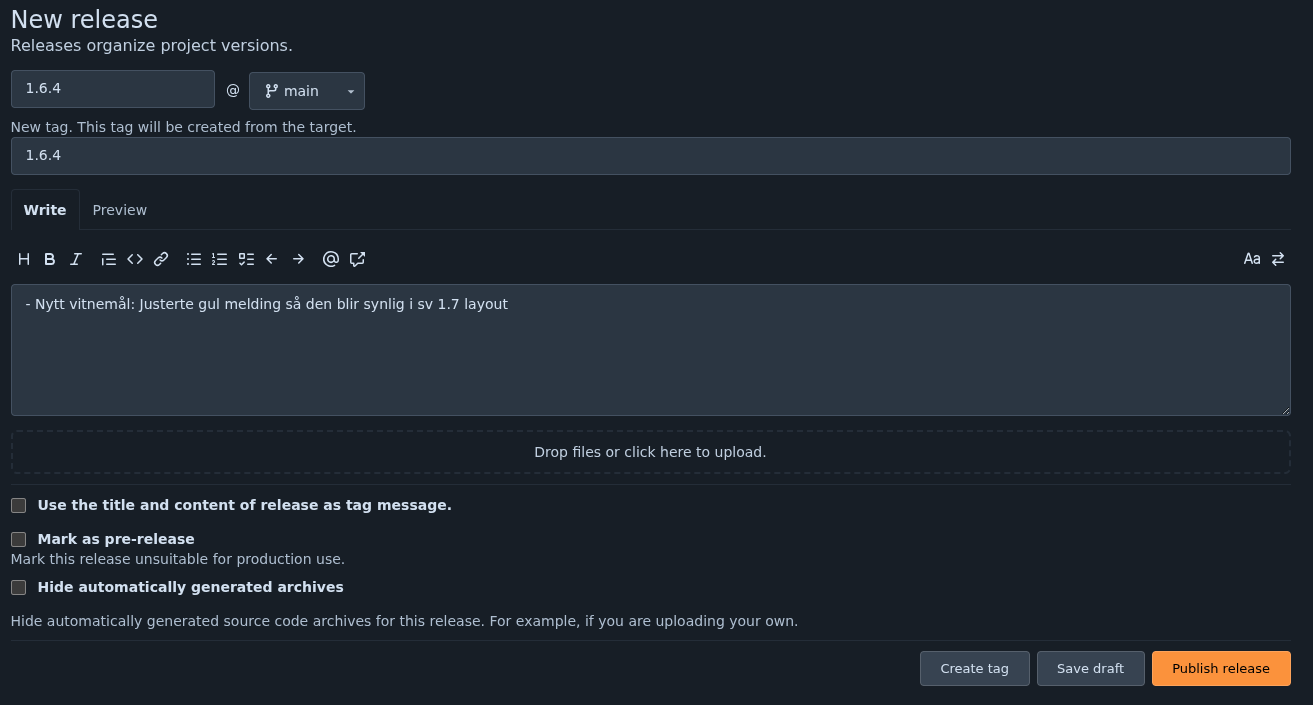
Finish with Publish release. The version shows up in the sv template manager after Update all.
Many main branches are protected by KDRS. Without author access to main, ask KDRS to merge your branch and release it for you.
Minimum app version
Some templates need a recent version of Search & View.
If so, write the minimum version in the tag description:
app: 1.7.0
Then tick Use the title and content of release as tag message, so the line is visible to SV.
Servers with an older Search & View still see the version in the template manager, but cannot pick it.
Use three numbers, like 1.7.0.
Apply the version
In Search & View, go to Tools -> Templates and click Update all. This fetches the new versions from the Git server.
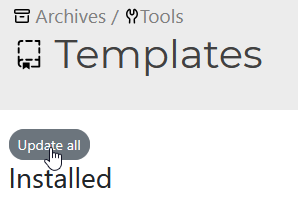
Find your template. A sync icon marks templates with a newer version, and the dropdown lists every released version. Pick yours, and the catalogs using that template follow it right away.